Team Collaboration for Automotive Teams Handling Every Sales or service call Together
Give your sales and service team one shared workspace for routing, call history, ownership, and follow-up—without passing buyer or vehicle owners between personal phones.


 Trusted by 2500+ businesses
- Showroom And Service Groups
- Shared Car Buyer Notes
- Smooth Sales Floor Hand-Offs
- 5000+
- Business Calls Managed Daily
- 24x7
- AI Call Handling
- 100%
- Business Call Tracking
- 1 Dashboard
- Complete Team Visibility
BUILT FOR AUTOMOTIVE TEAMS
One workspace for your whole dealership's calls
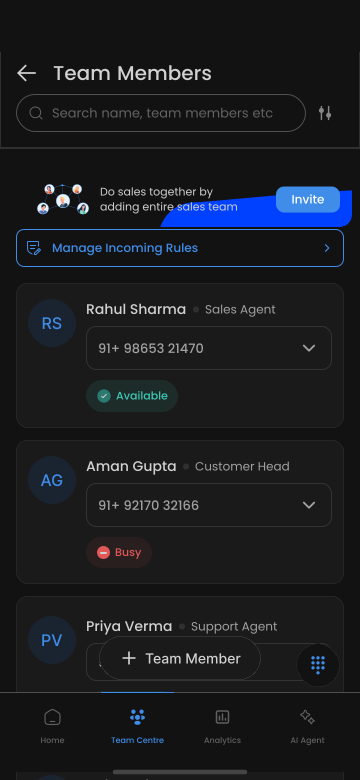
Beyond just sharing a number, TalkEasy gives your dealership a shared inbox for customer calls, role-based permissions, and team-wide analytics for management.
Why teams choose TalkEasy
What makes this different
Built around the way automotive teams actually handle customer calls.
- 01
Shared inbox across sales and service
Any team member can see a customer's previous interactions, whether from sales or service.
- 02
Role-based permissions by desk
Control who can see sales versus service call histories.
- 03
Team-wide analytics for management
Get a consolidated view of call activity across every desk and location.
Practical ways to work better
TalkEasy helps Team Collaboration for Automotive teams respond faster and stay organized.
Cross-desk customer visibility
See a customer's sales and service history in one place.
GM oversight
Management reviews team-wide call activity from one dashboard.
Multi-location management
Control access and see activity across every dealership location.
Benefits for your team
Turn every customer conversation into a clearer next step.
No customer history siloed to one desk
Sales and service can see relevant context on a shared customer.
Clear desk-based access control
Give appropriate access based on sales or service role.
Consolidated management visibility
GMs see everything from one place.
Give your dealership one shared view of every customer
Set up team collaboration for your dealership.