Telecalling Software: Which Type Fits Your Team, and a 7-Day Test
Telecalling software comes in three types: SIM call trackers, cloud dialers on a shared business number, and customer relationship management (CRM) tools with calling. Choose by whose phone makes the calls and whether your leads live in the tool, then test for seven days before you pay.

By Tej Pandya, Founder · Updated 23 Oct 2026
Key takeaways
- Choose by whose phone makes the calls and whether your leads live in the tool. A SIM call tracker suits reps calling from their own phones, a CRM with calling suits teams working lead lists daily, and a cloud dialer on a shared business number suits teams where customers should reach the business.
- Run the seven-day test before you pay. Each of the seven checks has a pass and a fail, so the tool earns the decision rather than the demo.
- Under the Telecom Regulatory Authority of India (TRAI) rules, promotional calls by any business must go out on the 140 series from a number registered with your telecom provider. Ask each vendor whether its tool can call on a registered 140 number.
- TalkEasy fits desk or remote teams that share one business number. A CRM with calling fits better if you assign leads with daily reminders, and a SIM call tracker fits better if you need to see calls from personal SIMs.
In this article
- 1What is telecalling software, and which type fits your team?
- 2What can each type of telecalling tool see, and what stays invisible?
- 3Why can't you compare telecalling software prices per user?
- 4How do you test a telecalling tool in seven days?
- 5How do you test device compatibility in a telecalling tool?
- 6How do you test call recording in a telecalling tool?
- 7How do you test lead import in a telecalling tool?
- 8How do you test follow-up reminders and call outcomes?
- 9How do you test reporting and the blind spot?
- 10How do you check the pricing unit before you buy?
- 11How do you check contract terms and support?
- 12What do TRAI's rules mean for choosing telecalling software?
- 13Where does TalkEasy fit, and when does another type fit better?
- 14Frequently asked questions
A telecaller’s phone number decides whether many calls are answered at all. According to The State of Business Calling 2026, a Kantar survey of more than 500 Indian B2B businesses for Truecaller and Tata Tele Business Services, published in July 2026, 79 percent of businesses said customers actively avoid answering calls from unrecognised numbers.
That makes the number your team calls from, and who can see those calls, the first decision when you buy telecalling software, ahead of any feature list. A tool that reads calls from reps' own subscriber identity module (SIM) cards, the mobile connections in their phones, and a tool that routes every call through a shared business number solve different problems. Neither does the other's job.
Below, we match each kind of tool to a kind of team, compare five named tools on the same fields, and give you a seven-day test to run before you pay. We publish this page and TalkEasy is one of the tools compared, so we say plainly where another type fits better.
What is telecalling software, and which type fits your team?
Telecalling software helps an outbound sales team place calls, keep a log of every call and, in some products, manage leads and follow-ups. It comes in three types. Choose by whose phone makes the calls and whether your leads should live inside the tool.
- SIM call tracker: an app on each rep's Android phone that reads the phone's call log and sends it to a manager's dashboard.
- CRM with calling: a CRM is a lead database with owners, statuses and reminders. This type adds a dialer and call recording on top.
- Cloud dialer on a shared business number: calls go over the internet through a business number, so logging and recording happen on the provider's side, whichever phone the rep holds.
| Your team | Leads and calling style | Fits best | Watch for |
|---|---|---|---|
| 1 to 5 callers, often in the field | A few fresh leads a day, calls from reps' own Android phones | SIM call tracker | Sees only phones with the app installed |
| 5 to 20 callers at desks | Daily lead lists, an owner assigns leads, follow-ups every day | CRM with calling | Per-user pricing, setup time, reps who skip logging |
| Any size, desk or remote | Customers should reach the business, not one rep; shared history matters | Cloud dialer on a shared number | Calls from a personal SIM stay invisible |
| 20 or more callers | Interactive voice response (IVR) menus that route callers, queues, WhatsApp, deep CRM links | Cloud telephony platform or a full CRM | Cost and onboarding effort |
| Already on a full CRM | Leads and history live there | Add telephony to that CRM | What the telephony add-on costs per user |
For a longer list of named apps, see our shortlist of telecalling apps for small businesses.
What can each type of telecalling tool see, and what stays invisible?
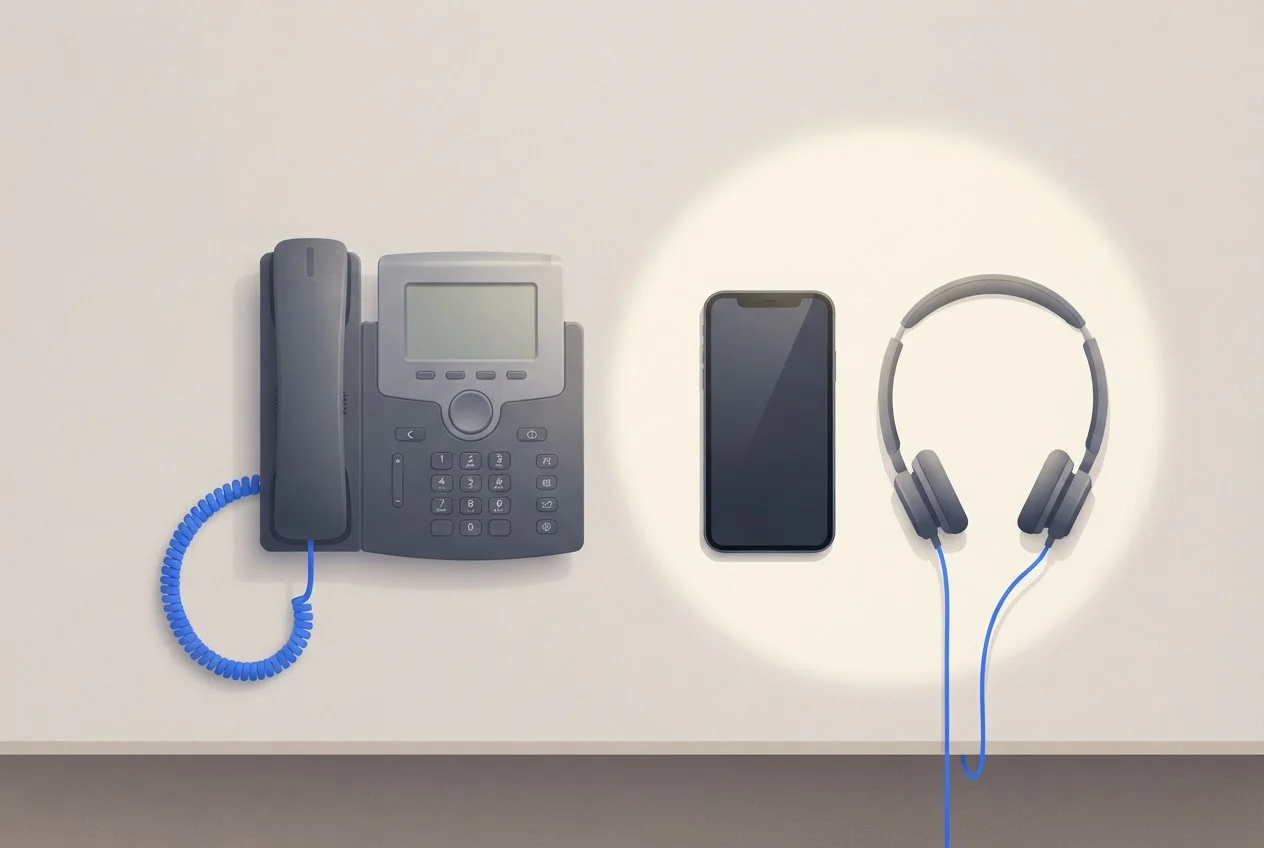
A SIM call tracker sees every call on the phones that carry its app and nothing placed elsewhere. A cloud dialer sees every call that goes through its business number and nothing placed from a personal SIM. A CRM sees what reps dial or log inside it. Choose the type whose blind spot your team will not use.
A feature list tells you what a tool does for the calls it can see. It says nothing about the calls it cannot.
If your reps will keep calling from their own SIMs whatever you decide, a cloud dialer will undercount their activity, and a tracker is the honest choice. If you want customers to ring one number that any rep can answer, and you want the history to stay with the business when a rep leaves, a shared business number does that and a tracker does not. A call made on a rep's own SIM sits in that rep's phone, and it leaves with them.
Why can't you compare telecalling software prices per user?
The tools bill in different units, so a per-user figure hides the real bill. As of 23 October 2026, Callyzer bills per phone number, TeleCRM per user, MyOperator per team of 10 users, and TalkEasy per team plus talktime, the calling minutes you use. Runo shows prices only after you choose a country, a calling method and a plan.
The figures below come from each provider’s own pricing page, read on 23 October 2026: the Callyzer pricing page, the TeleCRM pricing page, the MyOperator pricing page, the Runo website [Verify the exact Runo pricing URL] and TalkEasy pricing. Check at checkout whether goods and services tax (GST) is added: MyOperator’s page says GST is applicable, TalkEasy’s prices are quoted plus GST, and Callyzer’s prices exclude taxes.
| Tool | Type | Price and unit | What the plan lists | Trial and exit |
|---|---|---|---|---|
| Callyzer | SIM call tracker | ₹175 per phone number a month, billed monthly (Basic) | Call tracking and reports; lead management on the Basic + Lead tier; Android only. Add-ons include call recording storage at ₹500 per 5GB a month and Zoho or LeadSquared integration at ₹150 per phone number a month | 15-day trial for 5 numbers; moving from Basic to Basic + Lead is an upgrade with no downgrade |
| TeleCRM | CRM with calling | ₹799 per user a month, billed annually (₹1,099 billed quarterly); minimum 3 users | Excel upload, 1-click dialer, call recording, follow-ups, reports | Full refund in the first 15 days if you join a feedback call |
| MyOperator Sedan | Cloud telephony platform | ₹5,000 a month for 10 users, billed yearly; GST applicable | IVR, unlimited in and out calling, call recording, WhatsApp chat and broadcasts, basic performance reports; Meta WhatsApp charges extra | Limited feature trial; 30-day full refund |
| MyOperator SUV | Cloud telephony platform | ₹15,000 a month for 10 users, billed yearly; GST applicable | Adds higher calling capacity, web-call, whispering and barging, smart IVR with call routing, CRM and 100+ integrations, webhooks and API access | Limited feature trial; 30-day full refund |
| Runo | SIM-based CRM with calling | Shown after you choose country, calling method and plan | Lead management, call recording, auto dialer, follow-up reminders, AI call summaries | 10-day free trial, no credit card |
TalkEasy | Cloud dialer on a shared number | ₹999 + GST a month for the whole team (Pro), with 3 hours a day of talktime; extra talktime ₹49 + GST an hour | Unlimited users and contacts, call recording and history, team analytics, AI call summaries | Trial starts instantly; cancel anytime, no lock-in |
Our working for a 10-caller team, using the rates in the table:
- Callyzer: 10 × ₹175 = ₹1,750 a month, for tracking only and before add-ons.
- TeleCRM: 10 × ₹799 = ₹7,990 a month, or ₹95,880 across the year on annual billing.
- MyOperator Sedan: ₹5,000 a month, or ₹60,000 paid upfront for the year.
- MyOperator SUV: ₹15,000 a month, or ₹1,80,000 paid upfront for the year.
- TalkEasy: ₹999 + GST a month for the whole team, which is ₹1,178.82 with 18% GST, while total talk time stays within 3 hours a day. Each extra hour is ₹49 + GST, so ten extra hours add ₹578.20.
The tools do different jobs, so these are not like-for-like. For a team of up to 5 phones, Callyzer's Basic plan is the lowest-priced option in this table (5 × ₹175 = ₹875 a month, against ₹999 for TalkEasy Pro), before add-ons such as call recording storage. For wider cost maths, see what a business phone system costs in India.
The strengths differ as well. MyOperator offers IVR, WhatsApp tools and, on SUV, smart IVR with call routing and 100+ CRM integrations. TeleCRM keeps leads, reminders and calls in one tool.
How do you test a telecalling tool in seven days?
Run one check a day for seven days, with two reps and real leads: device, recording, lead import, follow-up reminders, reporting, pricing unit and contract terms. Each check has a pass and a fail. The pass marks are our recommendation.
How do you test device compatibility in a telecalling tool?
Install the app on every handset your team uses, including the oldest, and sign in on each. Pass: it installs and signs in on all of them (our Android app needs Android 7.0 or later). Fail: any handset fails, or needs a workaround you cannot support.
How do you test call recording in a telecalling tool?
Make 10 calls to your own second phone and check that each one appears with the correct duration and playable audio. Pass: 10 of 10. Fail: any call missing, mistimed or silent. For dialers and apps, make 5 calls on Wi-Fi and 5 on mobile data. A SIM call tracker uses the phone's mobile network, so make all 10 on the SIM.
How do you test lead import in a telecalling tool?
Load 50 real leads from your own sheet. Pass: all 50 appear with phone numbers intact and the right owner; on a shared-number dialer, any contact starts a call in one tap. Fail: garbled numbers, or you re-key leads by hand.
How do you test follow-up reminders and call outcomes?
Close 10 calls with a call disposition code, a label such as "interested" or "call back", and set 5 follow-ups for tomorrow. Pass: each reminder reaches the right rep on time, and outcomes show in reports. Fail: late or missing reminders, or outcomes held only as free text.
How do you test reporting and the blind spot?
Have one rep make 5 calls through the tool and 5 on a personal SIM, then pull the manager report and compare it with the handset's call log. Pass: the report matches the log for the calls the type claims to cover, and you can write down which calls it cannot see. Fail: totals off by more than 1 call in 10, or the blind spot surprises you.
Pro Tip: Pick the rep who usually calls from a personal SIM for this check. If the manager report shows none of that rep’s calls, you have found the tool’s blind spot in one day instead of one month.
How do you check the pricing unit before you buy?
Write your real monthly bill: headcount × unit price, plus add-ons, talktime and GST. Pass: one figure you could pay in month 2 and in month 13. Fail: add-ons such as an auto-dialer or recording storage double the headline price.
How do you check contract terms and support?
Read the cancellation and refund terms, then email support one real question and time the reply. Pass: you can state what you owe if you stop on day 31, and support replies within one working day. Fail: annual billing upfront with no refund window you can use, or no reply.
Once you have chosen, six metrics and a weekly report show you what to read from the data.
What do TRAI's rules mean for choosing telecalling software?
For cold outreach, the number your calls leave from is regulated. Promotional calls by any business must go out on the 140 series, and TRAI's Second Amendment to its commercial communications regulations, issued on 12 February 2025, bars 10-digit numbers for telemarketing. Senders must register with their telecom provider before using either the 140 or 1600 series (TRAI regulation).
The 1600 series is limited to service and transactional calls by entities regulated by the Reserve Bank of India, the Securities and Exchange Board of India, the Insurance Regulatory and Development Authority of India and the Pension Fund Regulatory and Development Authority, and by government bodies. An ordinary telecalling team cannot use it for service calls. Calls on the 140 series cannot be tagged or filtered, but they can be blocked for customers who have opted out of promotional calls from that sector through the do-not-disturb (DND) register (TRAI’s clarification, reported by MediaNama on 13 July 2026)
A newer rule matters if your tool dials automatically. TRAI’s Third Amendment Regulations, 2026, notified on 18 September 2026, define application-to-person (A2P) calls as calls started by software or an automated system without a person dialling each number, including auto-dialers and robocalls.
A business placing A2P calls must declare that use and its calling number ranges to its telecom provider in advance, or the calls are treated as unsolicited commercial communication. Calls on designated commercial series such as 140 are exempt. The declaration applies 60 days after the amendment’s publication in the Gazette.
Our reading: a click-to-call dialer where the rep chooses each call is not an auto-dialer, but confirm that with your provider.
No telecalling software makes you compliant by itself. Ask each vendor four things.
- Can the tool place calls on a registered 140 number?
- Can you record consent and opt-outs against each lead?
- Can you keep numbers on your do-not-call list out of a campaign?
- If it dials automatically, will the vendor help you make the A2P declaration to your telecom provider?
Our reading of the regulation: a call to a customer you already serve rests on inferred consent, which lasts only while the contract does. Consent given during a transaction holds for 7 days, and after someone opts out you cannot ask for consent again for 90 days. A cold list of prospects is promotional, so it goes out on 140 and skips anyone on the DND register. Our working rule is to treat a lead's enquiry as consent for 7 days and to treat later calls as promotional. Confirm your reading with a lawyer if your campaign is borderline.
Recordings also hold customers' personal data. As of 23 October 2026, the Digital Personal Data Protection Rules, 2025 (G.S.R. 846(E), notified 13 November 2025) under the Digital Personal Data Protection Act, 2023 are in force in phases. The Data Protection Board provisions applied from notification and the Consent Manager rules apply from November 2026. The main duties on businesses that process personal data, among them notice, consent, security safeguards and breach reporting, apply eighteen months after notification, in May 2027.
If you track staff phones, give staff a written policy that says what is recorded and why, and keep a signed acknowledgement. That is our recommendation, and it protects you if a rep objects later.
Where does TalkEasy fit, and when does another type fit better?
TalkEasy fits desk or remote teams where customers should reach the business and everyone needs one call history. A SIM tracker or a CRM fits better if your reps call from personal SIMs that you need to see, or if you work lead lists with daily reminders.
We run a shared business number with routing, plus a business dialer with click-to-call, automatic call logging and call recording. Every call on the number is logged whoever answers, and the history, recordings and contacts are shared across the team. AI call summaries give the key points, customer intent and suggested follow-up within a couple of minutes of the call ending. Team analytics cover call volume, answer rates, missed calls, talk time, team performance and peak hours, and the reports download. Paid plans include unlimited users and contacts.
Three limits matter when you choose:
- We do not read calls placed from a rep's personal SIM, so a tracker such as Callyzer sees what we cannot.
- If you assign leads, set reminders and manage a pipeline in one tool every day, a CRM with calling, such as TeleCRM or Runo, fits better.
- On Pro, customisation and integrations are not included. Custom CRM integration is part of our Enterprise plan, which is quote-only.
If you need IVR menus with call routing, WhatsApp tools or many CRM integrations, a platform such as MyOperator is the stronger choice.
To see how the shared number works with your own team, book a session with us: Talk to Our Expert. You can also start a trial in the app and run the seven-day test on it.
Which telecalling software should you choose?
Start with the question a price list cannot answer: whose phone makes the calls, and which calls will your tool never see? A SIM call tracker suits reps who call from their own Android phones. A CRM with calling suits desk teams that work lead lists with owners and reminders every day. A cloud dialer on a shared business number suits teams where customers should reach the business and the call history must stay when a rep leaves.
Whichever type you pick, run the seven-day test with two reps and real leads before you pay. Work out your bill in the unit the vendor charges, and confirm that cold calls can go out on a registered 140 number.
If you would like a second opinion on which type fits your team, book a consultation with TalkEasy or start a trial in the app.
Run the seven-day test on a shared business number
Frequently asked questions
Sources
- 1.Daily Excelsior, report on Truecaller and Tata Tele Business Services, The State of Business Calling 2026, Daily Excelsior, 8 July 2026
- 2.Telecom Commercial Communications Customer Preference (Second Amendment) Regulations, 2025, TRAI
- 3.TRAI clarification on designated promotional and transactional number series, reporting TRAI Press Release No. 91 of 2026, MediaNama, 13 July 2026
- 4.Digital Personal Data Protection Rules, 2025 (G.S.R. 846(E)), Ministry of Electronics and Information Technology
- 5.Digital Personal Data Protection Act, 2023, Ministry of Electronics and Information Technology
- 6.Providers' own pricing pages: Callyzer pricing page, TeleCRM pricing page, MyOperator pricing page, Runo pricing page and homepage, and the TalkEasy pricing page, 23 October 2026