TL;DR
At TalkEasy, we explain CRM phone integration as a two-way connection between your calling controls and CRM records. This guide shows sales teams how to map call fields, choose an architecture, prevent duplicate activities, configure reliable workflows, and prove the setup with ten practical acceptance tests before rollout.
How Does CRM Phone Integration Work?
At the end of March 2026, India had 1,330.58 million telephone subscribers, according to TRAI figures. We focus on what happens after a business call reaches a sales team, from caller matching through reliable CRM follow-up.
CRM phone integration connects a cloud phone system to CRM records so reps can call from the record, see caller context and save each outcome without tab switching. The clean version creates or updates one activity using a provider call ID, then attaches permitted recordings, summaries and follow-up tasks through native CTI, an API or middleware.
We will show the data flow, the field choices that prevent duplicate activities, an eight-step setup process, and a ten-call acceptance test for sales teams.
How Does CRM Phone Integration Move Data in Both Directions?
A connected phone system should not merely paste a call note into a timeline. It needs to carry a stable identity through the whole interaction: the caller or contact, the CRM record, the representative, and the provider’s immutable call ID. That identity is what lets the CRM update one activity as the call changes state.
Inbound Calls Start with a Match
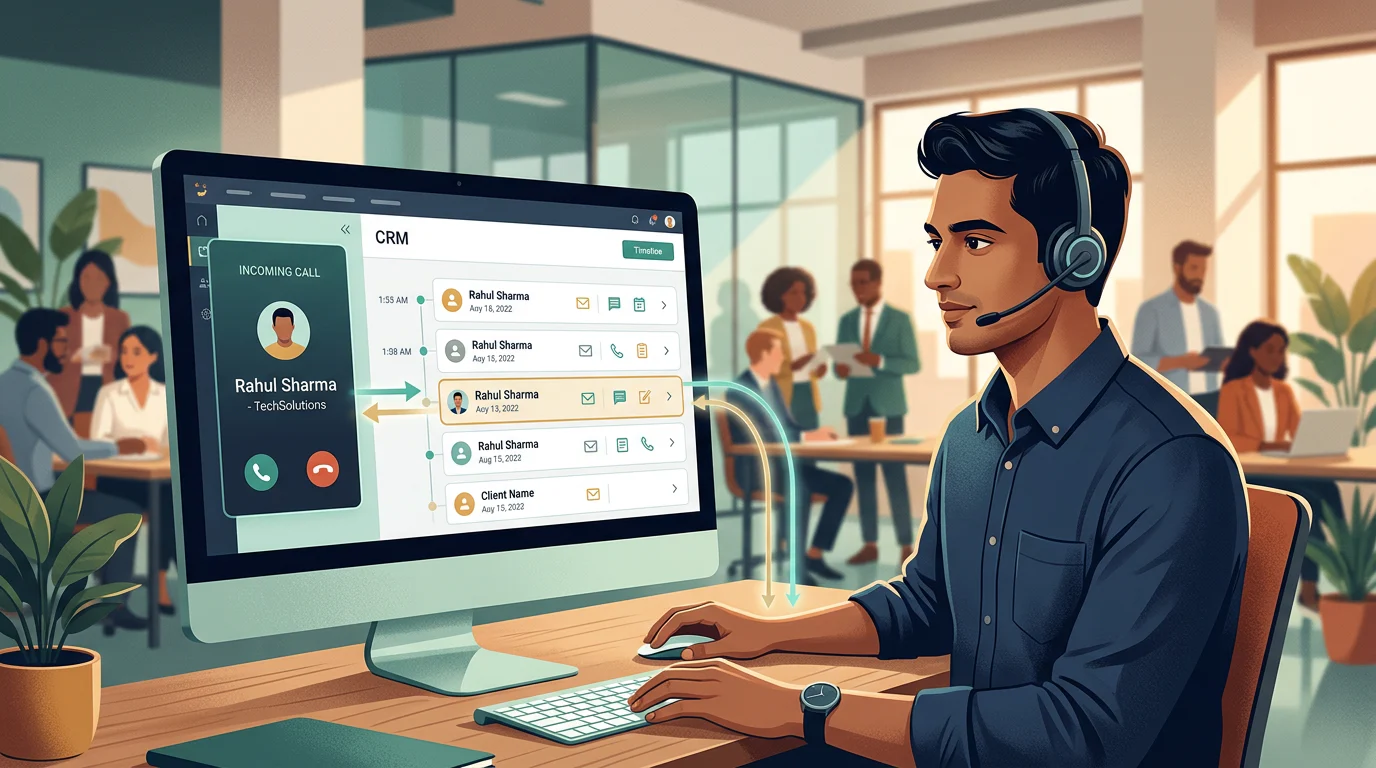
For an inbound call, the phone system normalises the caller number, searches approved CRM objects, and opens context for a single confident match. When several records share a number, the safer behaviour is to present a choice or send the event to a review queue. When no record matches, create an unmatched-call item first, not an automatic duplicate contact.
CTI integrations can search configured CRM objects and fields for inbound, outbound, and internal calls before displaying a screen pop, as described in the CTI documentation. That makes the matching policy a sales operations decision, not a cosmetic dialler setting.
Outbound Calls Keep Their Record Context
Click-to-call starts with a CRM record. The CRM sends the number and record context to the embedded dialler, the calling provider starts the call, and the integration creates a provisional activity with the provider call ID. Once the call ends, that same activity receives duration, disposition, notes, and approved conversation data.
For outbound teams, this avoids a common reporting gap: calls placed from a personal device or a separate browser tab may never be attached to the opportunity the representative was working. A shared business dialler keeps the action and the record in the same workflow.
Completed Calls Trigger the Next Action
After a call, the integration can write a disposition, link a recording, add a transcript or summary, and create a task when the rep chooses a callback outcome. A good setup creates tasks only from explicit rules, such as “call back tomorrow” or “send proposal,” rather than from every completed conversation.
The CRM should own the activity timeline and task reminders. The phone platform should own live call controls, raw event delivery, and media processing. That boundary makes it easier to diagnose whether a missing activity came from a failed call event, a failed CRM write, or a workflow rule.
Which Architecture Keeps Call Records Clean?
The way systems connect determines what can break, how much configuration is required, and whether a sales manager can trace a missing record. Native calling usually feels simplest to representatives, while direct APIs provide more control over custom fields and recovery.

| Architecture | How It Works | Best Fit | Duplicate-Control Requirement | Setup Effort |
|---|---|---|---|---|
| Native CRM Calling | Calling controls run inside the CRM interface | Teams needing minimal tab switching | Confirm one activity is updated after call completion | Low to medium |
| CTI Or Managed Package | A softphone panel exchanges call events with the CRM | Teams needing screen pops and embedded controls | Store the provider call ID on every activity | Medium |
| Direct API And Webhooks | The phone system writes and updates CRM objects through APIs | Teams with custom fields or custom objects | Use idempotency keys, retries, and event ordering | Medium to high |
| Middleware Workflow | A third system relays events between phone and CRM | Teams connecting unsupported systems | Preserve original call IDs through every step | Medium |
Calling extensions commonly create a CRM engagement when the call starts and update it after the interaction ends, as shown in calling documentation. That lifecycle is better than creating a fresh record for every event because one call can produce several events.
For a small sales team, the practical starting point is a cloud number, a clearly assigned call owner, and one CRM pipeline. A virtual business number gives the team a shared calling identity before custom field mapping and reporting complexity expand.
What Should a CRM Phone Integration Log?
The right CRM record answers three questions quickly: who spoke, what happened, and what must happen next. Sales teams usually need a call activity linked to the person and the commercial record, plus enough fields to audit the integration when something goes wrong.
| CRM Pattern | Matching Objects | Activity Record | Required Fields | Follow-Up Destination |
|---|---|---|---|---|
| Enterprise Sales CRM | Lead, contact, account, opportunity | Call or task activity | Provider call ID, direction, timestamps, duration, owner, disposition | Task, workflow, opportunity update |
| Growth CRM | Contact, company, deal, ticket | Call engagement | Caller number, associated records, outcome, notes, recording URL | Task queue or workflow |
| Pipeline CRM | Person, organisation, deal | Call activity | Representative, activity type, call result, call ID | Activity reminder |
| Suite CRM | Lead, contact, account, deal | Calls module | Call type, duration, unique field, related record | Workflow or assigned task |
A call activity should carry timestamps, direction, duration, disposition, recording link, transcript status, summary, sentiment where approved, and a task reference where required. CRM activity systems support call-specific records and associations, as outlined in this calls reference.
Use a custom field for the provider call ID and treat it as unique. That field is the repair handle when a webhook arrives twice, a transcript arrives late, or an administrator needs to reconcile activity counts. If a recording or transcript is not available, the activity should still close cleanly with a status such as “processing” instead of disappearing from the timeline.
For teams using conversation intelligence, AI call summaries should add context after the metadata is safely written, not replace the call activity itself. Summaries can be useful, but a call ID, owner, timestamp, and disposition remain the foundation of trustworthy sales reporting.
How Do You Set up CRM VoIP Integration?
A smooth rollout starts with one repeatable workflow, not every possible CRM object. We recommend mapping a single sales pipeline first, testing it with a pilot group, and only then extending the setup to customer success or service queues.
Choose Ownership and Matching Rules
Decide who owns each inbound and outbound activity before connecting accounts. Inbound calls may belong to the queue that answered them, while outbound calls usually belong to the representative who initiated them. Document the rule for transferred calls, shared numbers, and reassigned leads.
Normalise phone numbers consistently before matching. Use the CRM record ID whenever the representative starts a call from a record, then fall back to a normalised caller number for inbound calls. Only create a new contact after a review rule confirms there is no reliable match.
Map Fields and Follow-Up Workflows
Map the provider call ID first. Then map direction, start and end time, duration, disposition, representative, recording link, transcript status, summary, and callback task. Keep custom fields focused on information the CRM cannot already store cleanly.
Use AI call insights to guide coaching or prioritisation after the team agrees on what sentiment or intent should mean operationally. A score without an owner, a threshold, and a next action is just another field.
Configure Retries and Representative Adoption
A complete implementation has eight steps:
- Define the CRM system of record and activity owner.
- List the contact, lead, account, deal, ticket, and custom-object associations required.
- Set number normalisation and match, no-match, and multi-match rules.
- Connect the integration with least-privilege permissions.
- Map the provider call ID and all approved call fields.
- Create duplicate-event and idempotency rules.
- Configure callback workflows, retention, alerts, and reporting.
- Run the acceptance test before expanding access.
CRM APIs can reject duplicate data based on configured unique fields, which is why an immutable external call ID is more reliable than matching on time and phone number alone. The duplicate guidance also shows why teams need a recovery path for rejected writes.
Representatives adopt the system faster when dispositions are short, callback rules are obvious, and the dashboard shows calls they can act on. Use call analytics to monitor match rate, failed writes, sync lag, and callbacks due, rather than measuring call volume alone.
How Do You Test a Phone System That Automatically Logs Calls?
A connection is not ready because a test call appears once in a CRM timeline. It is ready when expected records appear consistently, duplicate events do not multiply activities, and failures leave a recoverable trail.
| Test Call | Expected CRM Record | Pass Condition | Failure Recovery |
|---|---|---|---|
| Known Inbound Answered | One matched call activity | Correct contact and owner appear | Check number normalisation and match rule |
| Unknown Inbound | One unmatched-call item | No automatic duplicate contact | Send to review queue |
| Outbound Click-To-Call | One provisional, then final activity | Same provider call ID remains | Reconcile CRM and provider IDs |
| Missed Inbound | One missed-call activity | Queue or owner receives callback rule | Retry event and alert owner |
| Voicemail | Call activity plus media status | Recording or transcript status is visible | Retry media-processing event |
| Transfer | One parent activity with documented legs | No double-counted completed call | De-duplicate transfer segments |
| Callback Disposition | Assigned task with due date | Task links to the original call | Re-run workflow from activity |
| Duplicate Webhook | No second activity | Existing activity is updated only | Reject repeated external ID |
| Expired Token | Call remains recoverable | Event stays queued for retry | Re-authorise and replay queue |
| API Limit Or Outage | Ordered final activity after recovery | One record per call persists | Back off, retry, reconcile |
Run these ten calls with a sales representative, an administrator, and the person responsible for CRM reporting. That shared review catches issues that a technical test alone misses, such as a callback task landing with the wrong owner or a summary being visible to the wrong team.
A consistent sales call tracking workflow turns the result into an operating standard. It gives sales operations a practical way to compare call records against provider events, track assignment quality, and find errors before they distort pipeline reporting.
TalkEasy for Reliable CRM Calling
We give Indian SMBs a practical way to bring calling discipline to sales activity without starting with a sprawling contact-centre rollout. We built our virtual business number and AI call management app for teams that need shared visibility, recordings, call history, team management and analytics in one operational view. Our Pro plan includes unlimited users and contacts, plus three hours a day of talktime, while Enterprise work can cover the customisation and integrations that a mapped CRM workflow needs. Start by choosing one pipeline, one callback rule and a small pilot team. Then use the ten-call test in this guide before expanding access. That sequence lets us spot match errors, field gaps and handoff problems before they become sales-reporting problems. Our experts can help define fields, ownership, retry rules and a rollout metric that representatives can actually follow. When you are ready to map your calling workflow, explore TalkEasy AI Biz Number
FAQs on CRM Phone Integration
Does CRM Phone Integration Automatically Log Calls?
Yes. A configured integration creates one call activity, updates it after completion, and can automatically add approved recordings, summaries, dispositions, and assigned callback tasks when required.
Can Representatives Make Calls Directly from the CRM?
Representatives can click a CRM phone field when a provider supplies an embedded dialler or browser integration. The resulting call should retain its CRM record and external ID.
What Is the Difference Between CTI, an API Integration, and Middleware?
CTI embeds calling controls in the CRM. An API exchanges records programmatically, while middleware relays events. Reliable results need mapped fields, idempotency, retries, and monitoring.
How Do We Stop Duplicate Call Activities in the CRM?
Store the provider call ID in a unique CRM field, create one provisional activity, then update that same record as later webhook events arrive or retry.
What Should We Test Before Rolling Out CRM Calling?
Test known and unknown callers, outbound clicks, missed calls, voicemail, transfers, callback tasks, duplicate webhooks, expired tokens, and API-limit or outage recovery before rollout teamwide.